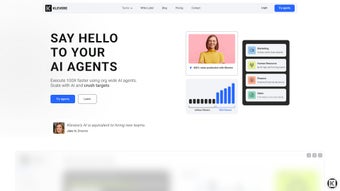

Download Klevere – AI‑driven workflow automation, productivity, and integration tool
Introduction
Klevere is a next‑generation, AI‑powered platform built to streamline and automate complex workflows across the most demanding business functions. Whether you belong to marketing, sales, human resources, or finance, Klevere delivers pre‑designed, yet fully customizable, automation pipelines that turn repetitive tasks into a single click. The tool can generate SEO‑friendly blog articles from a brief, craft product descriptions directly from images, and produce compelling website headlines that boost conversion rates.
Marketing teams also benefit from integrated digital‑advertising assistants that draft ad copy, schedule campaigns, and even repurpose YouTube videos into ready‑to‑publish blog posts. In the HR arena, Klevere accelerates recruitment by scanning CVs, ranking candidates, and generating performance evaluation templates. Sales professionals can leverage AI‑enhanced LinkedIn outreach, automated company research, and personalized pitch generation.
While the finance module is still on the roadmap, early access promises automated expense categorisation, invoice processing, and cash‑flow forecasting. Klevere’s subscription model ensures continuous updates, premium support, and access to a growing library of industry‑specific workflows. The platform’s core promise is simple: align every department’s daily activities with overarching business goals, thereby increasing overall productivity, reducing human error, and freeing teams to focus on strategic, high‑impact work.
By unifying these capabilities under a single, secure environment, Klevere eliminates the need for a patchwork of disparate tools, helping organisations cut licensing costs and simplify IT management.
Key Features & Benefits
- AI‑Generated Content: Instantly create blog posts, product descriptions, and ad copy from short prompts or images.
- Cross‑Departmental Templates: Ready‑made workflows for marketing, sales, HR, and upcoming finance tasks.
- Video‑to‑Text Conversion: Transform YouTube videos into fully structured blog articles with SEO metadata.
- Recruitment Automation: Automated CV parsing, candidate ranking, and performance review drafting.
- Sales Enablement Tools: Personalized LinkedIn outreach sequences, company research bots, and lead scoring.
- Integration Hub: Connects with popular CRMs, CMS platforms, advertising networks, and HRIS systems via API.
- Continuous Learning Engine: The AI model improves with each interaction, delivering more accurate outputs over time.
- Security & Compliance: End‑to‑end encryption, GDPR‑ready data handling, and role‑based access controls.
- Scalable Subscription: Tiered pricing that grows with your team size and feature needs.
- Dedicated Support: 24/7 chat assistance, onboarding webinars, and a knowledge base packed with use‑case guides.
Each feature is designed to cut down manual effort, shorten time‑to‑market, and create measurable ROI. For example, marketing teams report a 40 % reduction in content production time, while HR departments experience up to a 60 % faster candidate shortlisting process. The AI engine’s ability to learn from your organization’s unique language ensures that the output feels native, not generic.
By centralising workflow automation in a single, secure environment, Klevere eliminates the need for a patchwork of disparate tools, reducing licensing costs and simplifying IT management. In addition, the platform provides real‑time analytics dashboards that let managers monitor the performance of each workflow, identify bottlenecks, and make data‑driven decisions to further optimise processes. The combination of deep integration options, continuous learning, and enterprise‑grade security makes Klevere a compelling choice for businesses that demand both flexibility and reliability from their automation software.
Installation, Usage & Compatibility
Getting started with Klevere is straightforward. After purchasing a subscription, you receive a secure download link for the desktop client (Windows 10/11, macOS 12+), as well as mobile apps for Android 10+ and iOS 13+. The web‑based version runs on any modern browser, making it ideal for remote teams and distributed workforces.
- Create Your Account: Follow the email invitation, set a strong password, and enable two‑factor authentication to protect your data.
- Download the Client: Click the OS‑specific button, run the installer, and accept the default permissions. The installer verifies your license key against the cloud before completing.
- Connect Your Tools: Use the integration wizard to link your CRM, CMS, advertising platforms, or HRIS. Pre‑built connectors require only API keys, while custom integrations can be built with a visual drag‑and‑drop workflow editor.
- Select a Workflow: Browse the library, pick a template (e.g., “Blog from Image”), and customise prompts, branding, and publishing destinations.
- Run & Review: Execute the workflow, preview the AI‑generated output, and approve or edit before publishing. Each run is logged for audit purposes.
Compatible operating systems include Windows 10/11, macOS 12 Monterey and later, Linux (Ubuntu 20.04+), Android 10+, and iOS 13+. Cloud‑based access works on Chrome, Edge, Safari, and Firefox, ensuring a consistent experience across devices.
Pros
- Significant time savings across multiple departments.
- AI output improves with continuous learning.
- Robust security and compliance features.
- Highly flexible, with extensive integration options.
- Scalable pricing model suitable for SMBs and enterprises.
Cons
- Initial setup requires some integration configuration.
- Finance module still in beta, limiting immediate use for accounting teams.
- Advanced AI features may need a short learning curve for non‑technical users.
- Subscription cost can be higher than single‑purpose tools for very small teams.
- Internet connection required for cloud‑based AI processing.
Overall, the benefits far outweigh the drawbacks, especially for organisations looking to unify automation under one intelligent platform. Users can start with a free trial, evaluate ROI, and then scale up as confidence grows. The onboarding experience is supported by step‑by‑step video tutorials, a searchable knowledge base, and a community forum where power users share custom workflow recipes.
Frequently Asked Questions
Below you will find answers to the most common questions about Klevere. These responses cover everything from deployment options to data privacy, helping you decide whether the platform fits your organisation’s needs. If you have additional queries, our support team is available 24/7 via chat or email.
Is Klevere a cloud‑only solution?
Klevere offers both a cloud‑based web interface and downloadable desktop clients for Windows, macOS, and Linux. The AI processing runs in the cloud, but you can work offline and sync later.
Can I integrate Klevere with my existing CRM?
Yes. Klevere includes native connectors for Salesforce, HubSpot, Zoho, and a generic API that lets you link any CRM that supports RESTful calls.
How does Klevere handle data privacy?
All data is encrypted in transit and at rest. Klevere complies with GDPR, CCPA, and ISO 27001 standards. You can also enable region‑specific data residency.
Is there a free trial or demo available?
A 14‑day free trial is available with full access to all current modules. No credit card is required, and you can upgrade to a paid plan at any time.
When will the finance automation module be released?
The finance module is slated for public release in Q3 2025. Early‑access beta users can sign up now to test upcoming features such as invoice OCR and cash‑flow forecasting.
Conclusion & Call to Action
Klevere represents a powerful shift toward intelligent, cross‑functional automation. By unifying content creation, recruitment, sales outreach, and future finance tasks under a single AI‑driven umbrella, it delivers measurable efficiency gains while preserving data security and compliance. The platform’s flexibility makes it a compelling choice for fast‑growing businesses that need to scale operations without multiplying software sprawl. If you’re ready to accelerate your workflow, reduce manual errors, and free your teams to focus on strategic initiatives, download Klevere today and start your free trial. Experience how AI can turn routine work into a strategic advantage, and join the growing community of organisations that have already seen a noticeable uplift in productivity and ROI.
Klevere earns high marks for its breadth of features, ease of integration, and the tangible time savings it delivers. While the finance module is still in beta and the initial setup may require some configuration, the overall ROI is compelling for organizations seeking a unified automation platform.



.png)



